Built for the fireground.
Made for the people who work it.
Software for the fire service, written by a working captain and paramedic who has lived the problems it solves.
Different seats. Different jobs.
Some run on the fireground, some at the kitchen table with your crew, one in the chair across from the promotion panel. Each one was built because the thing that was needed didn't exist.
Incident Command
A tactical worksheet and accountability board for the officer running the incident. Unit tracking, assignments, PAR timers, and a scene record that survives the call - on a tablet, in the front seat, with or without a signal.
Interview Prep
A practice panel in your pocket. Answer real promotional questions out loud, get scored against a published rubric, and find out which competencies you have no story to prove - before the panel finds out for you.
ReadyLine Training
Four solo trainers in one app: run the mayday call you hope to never make, give your first-arriving size-up and progress (CAN) reports out loud, and deal kitchen-table drills for your crew. All reps. No scoring. Everything on your device.
ReadyLine Apparatus
Turn the apparatus you ride into a study tool. Photograph each compartment, place it right on a photo of the apparatus, and tag what rides inside - then drill yourself until you know where every tool lives. One person can build the whole fleet and send it to the crew, read-only. All on your device, nothing uploaded.
Built from real experience in the fire service.
Every ReadyLine tool starts from the seat - from what an officer actually needs, in the moment they need it, whether that's a 0300 basement fire or the two minutes that decide a call.
Each one is built on real fire-service experience, shaped by real use, and refined until it holds up. The goal is simple: tools that genuinely help firefighters do the job.
Incident Command
The tactical worksheet, rebuilt for the officer who is actually running the call.
A grease pencil and a clipboard can't tell you who's been inside for eighteen minutes.
Accountability on a working fire is a memory test that nobody should be taking. Units arrive, get assigned, move, get reassigned. Somebody is supposed to be tracking all of it while also running the incident, working the radio, and thinking three steps ahead.
Incident Command handles the tracking so the officer can do the thinking.
Place units on the fireground by division, group, and assignment. Drag to reassign. The board is the incident.
Know who is where, and how long they've been there. PAR timers call out before the clock becomes a problem.
Structure, MVA, medical, hazmat, rescue. The board reshapes to the call type instead of fighting it.
Capture conditions, actions, needs as they come in - typed or spoken - without losing the board.
Runs on the device and keeps working with no coverage. Incident records stay on your tablets, and there is nothing to log into at 0300.
Export the full scene timeline for the post-incident review, the report, or the training officer.
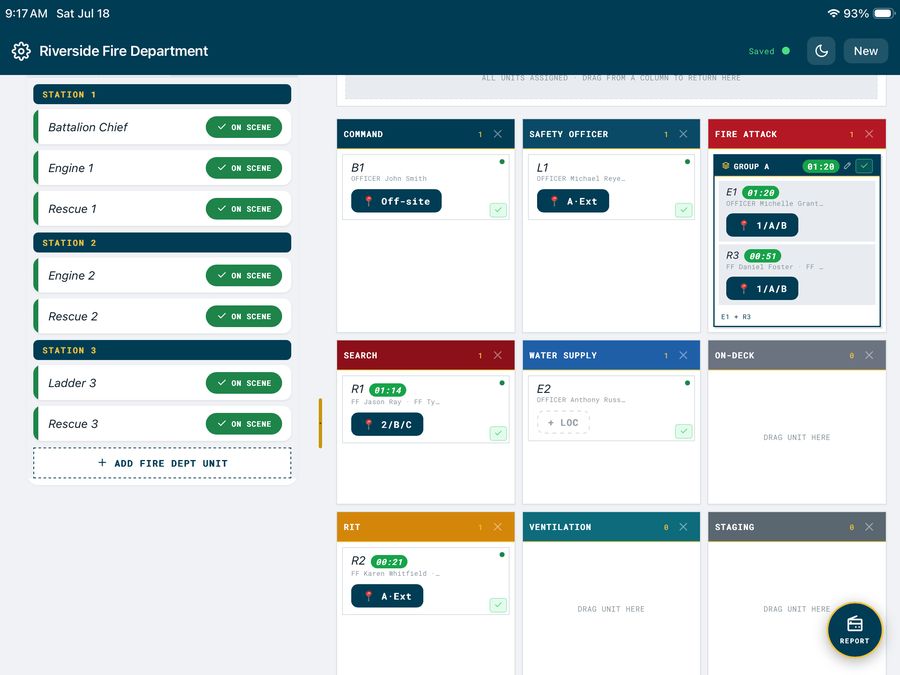
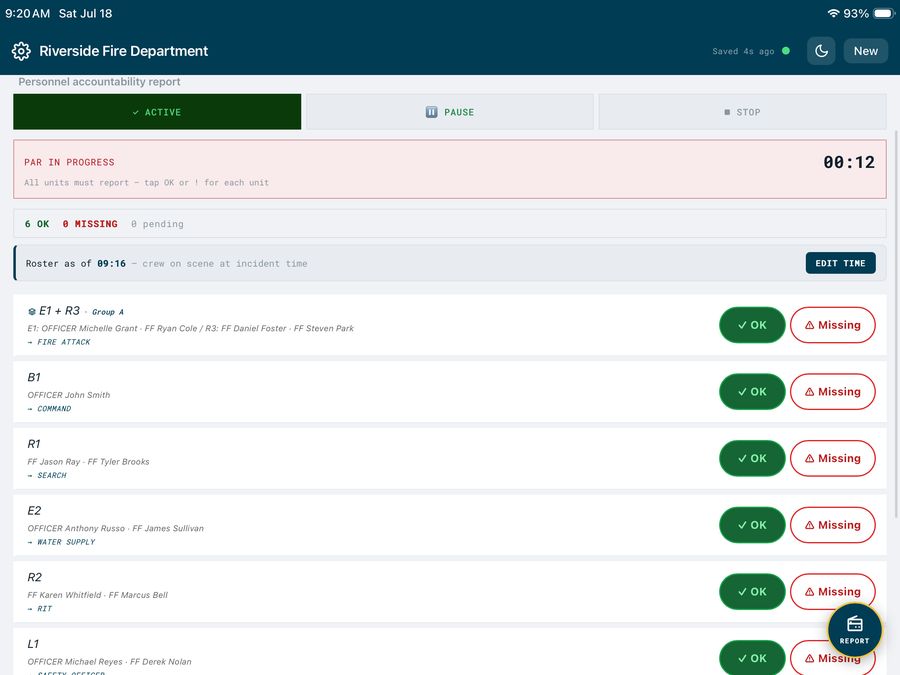
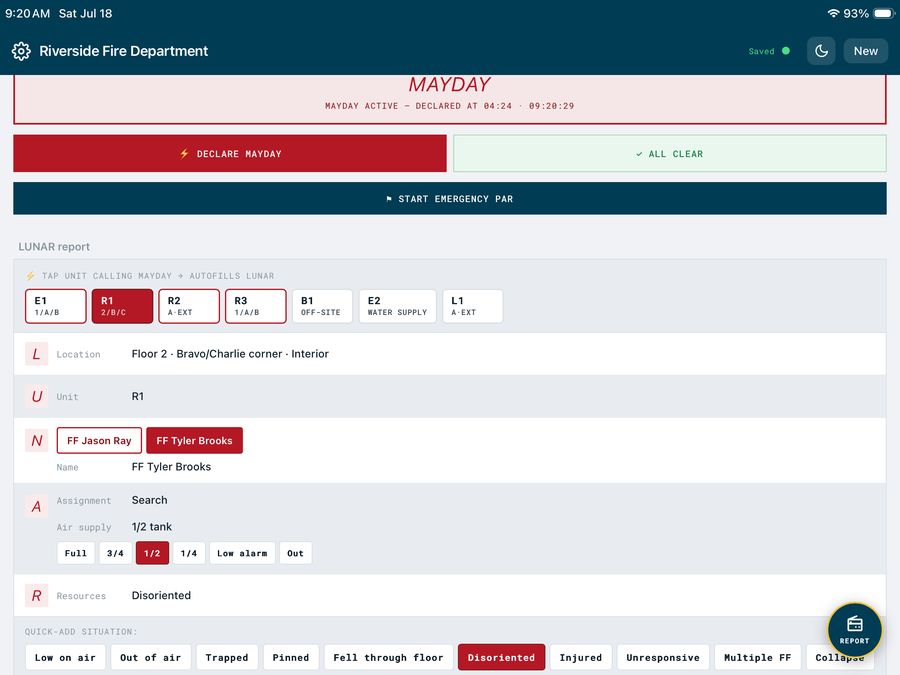
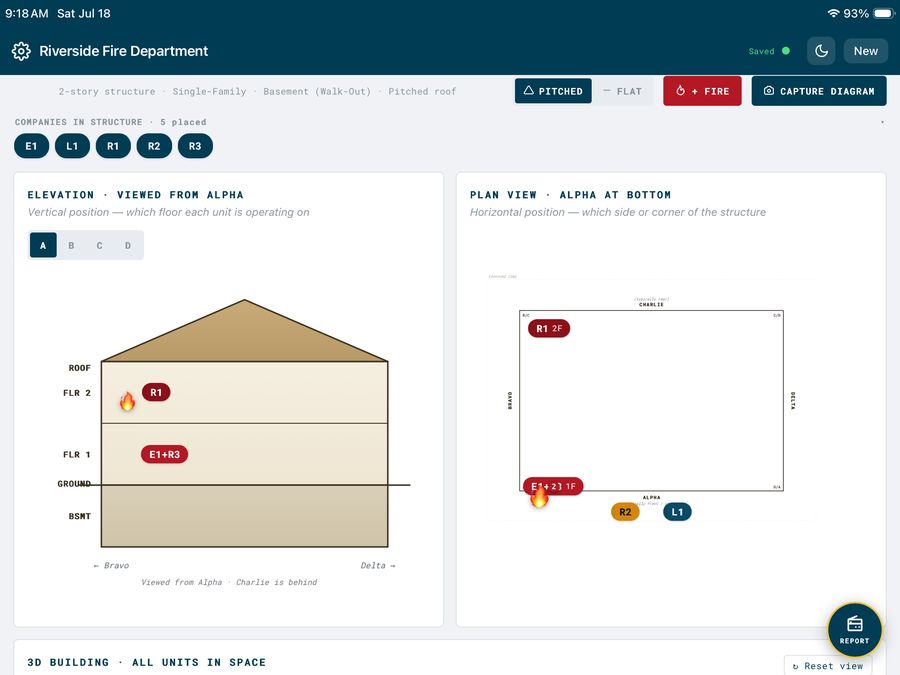
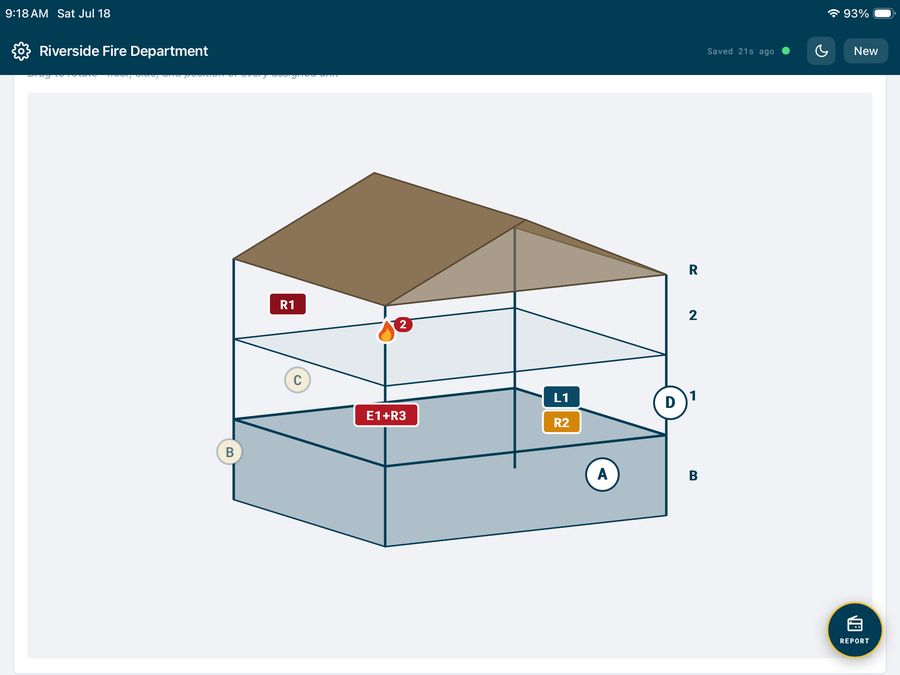
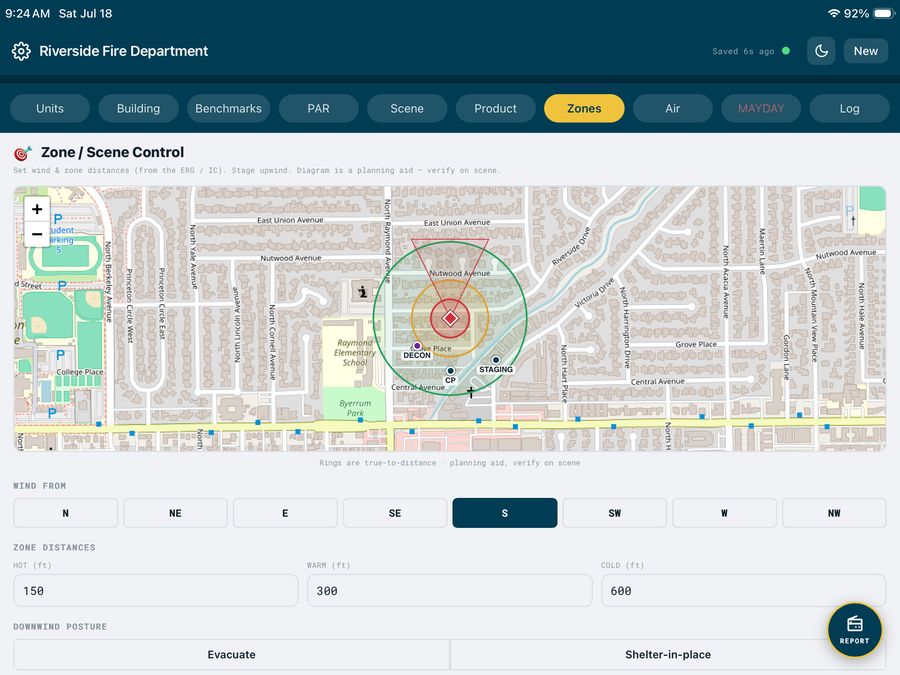
In field testing. Incident Command is in active use and iteration with a Michigan department. It is not yet generally available. If you run a department and want to see it, get in touch - early departments shape what it becomes.
Incident Command is a decision-support and accountability tool. It does not replace your department's official accountability system, your records management system, or your standard operating guidelines. It supports the officer; it does not substitute for one.
Fire Officer
Interview Prep
A practice oral board in your pocket. Answer out loud. Get graded like a panel grades.
Now on Google Play and the App Store. $14.99 one time, yours for good - no subscription, no account. On Android, start free with five graded answers, then unlock.
You can read about answering questions. You can't read your way into answering them well.
The oral board is spoken, timed, and unforgiving. Most candidates prepare by reading a book, thinking about their stories in the truck, and then hearing themselves out loud for the first time in the room that counts.
Promotional coaching works - and costs $500 to $2,000. This is the version you can afford, and use at the kitchen table at 2 a.m.
Key up like a radio and answer. The app listens, times you, and transcribes what you say in real time.
Four tiers, five dimensions. No black box - the standard is printed in the app, so you can see exactly what moves you up a tier.
Pace, filler words, and length against the target window. The things a panel notices and nobody tells you.
The app maps your anchor stories to competencies and shows you which ones you have nothing to prove. That screen is the point.
Five to seven questions, timed, sequential, no coaching until the scorecard. Exactly like the real chair.
Sharp panels press. So does this. Answer the follow-up while your first answer is still on the table.
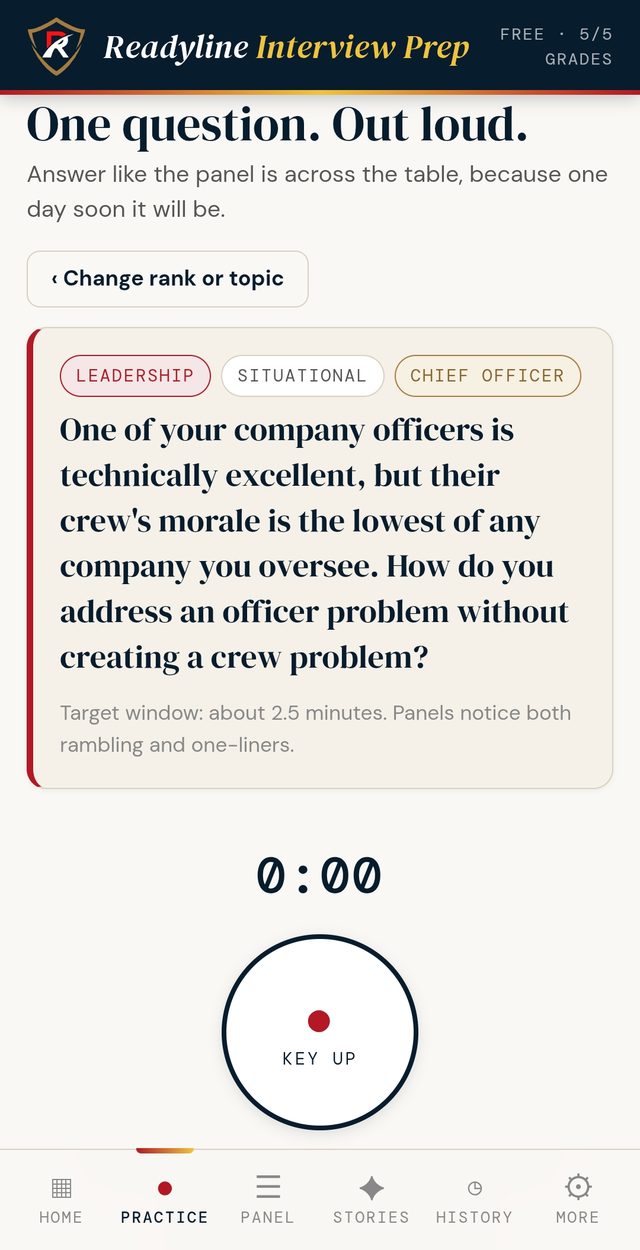
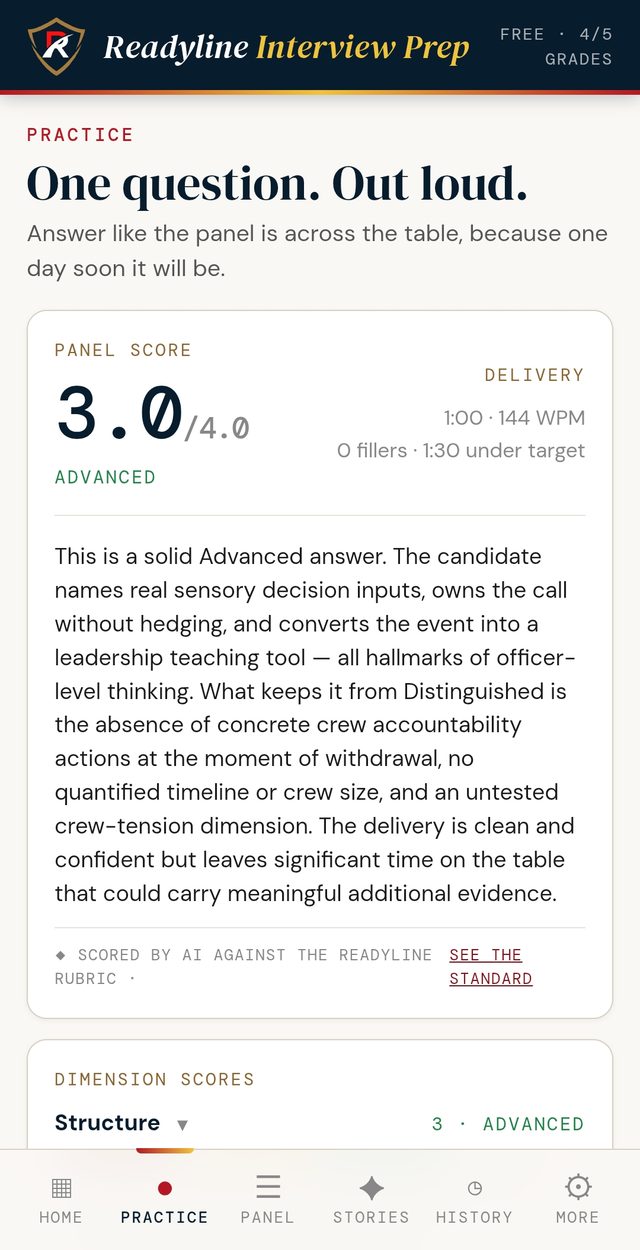
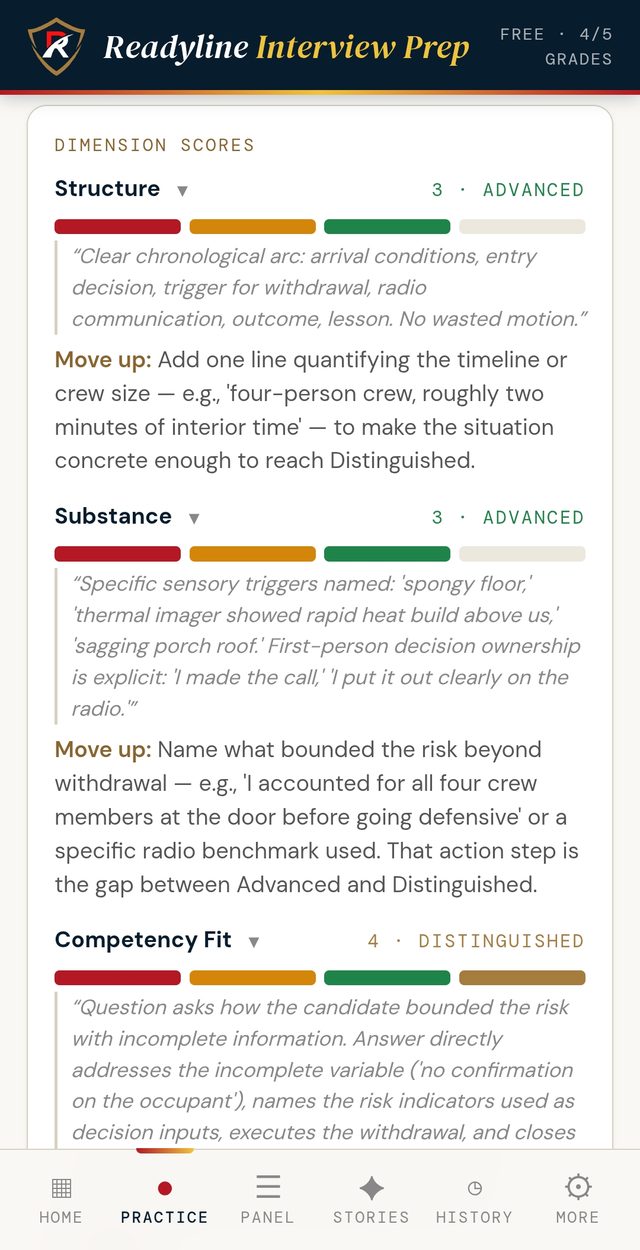
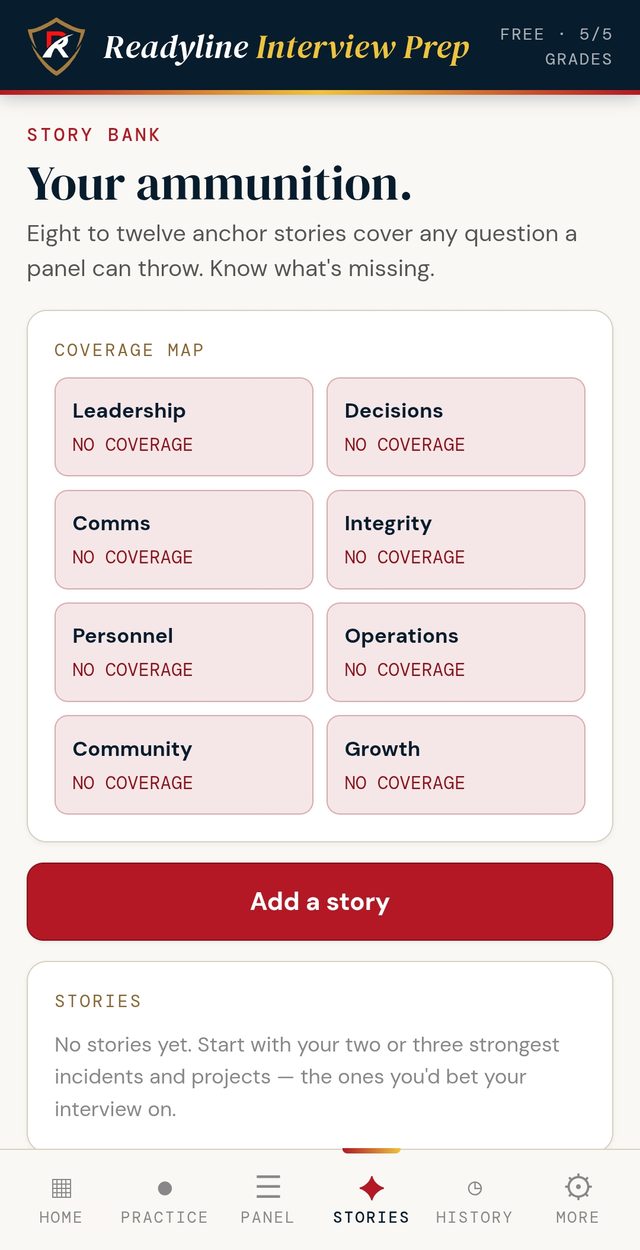
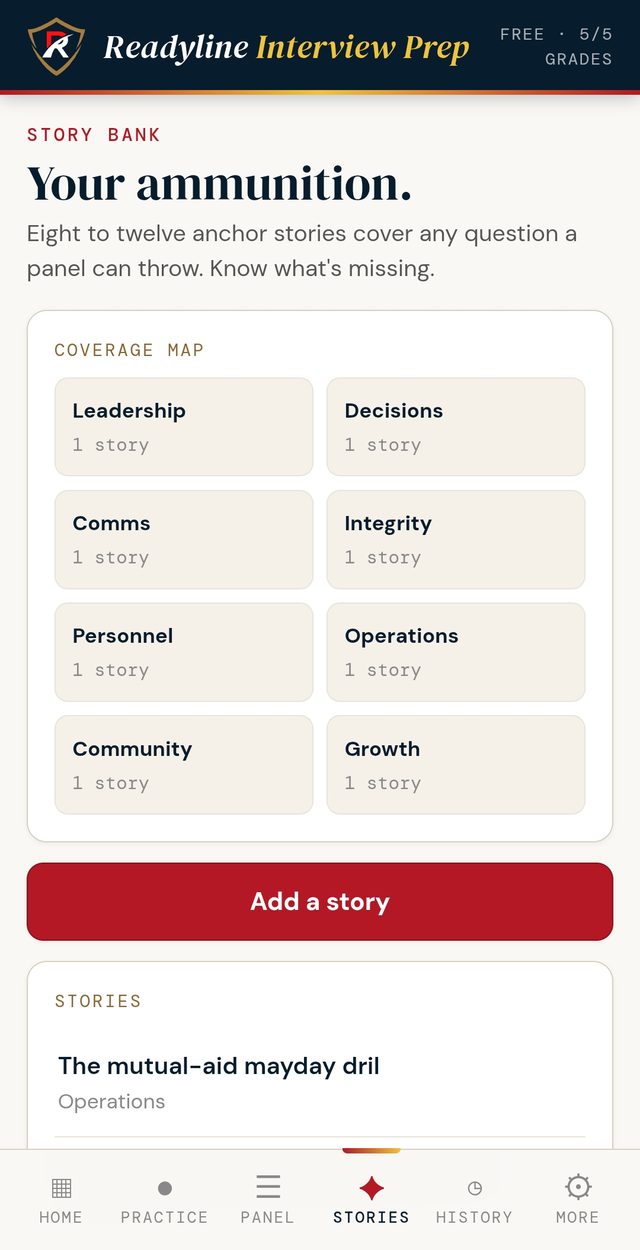
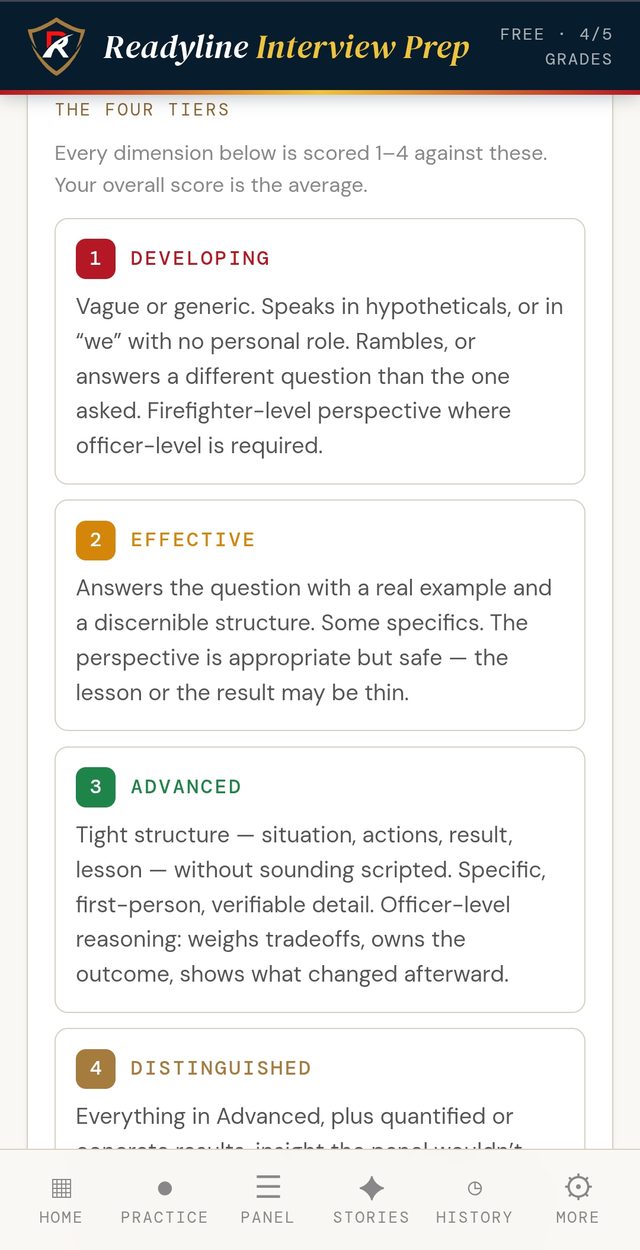
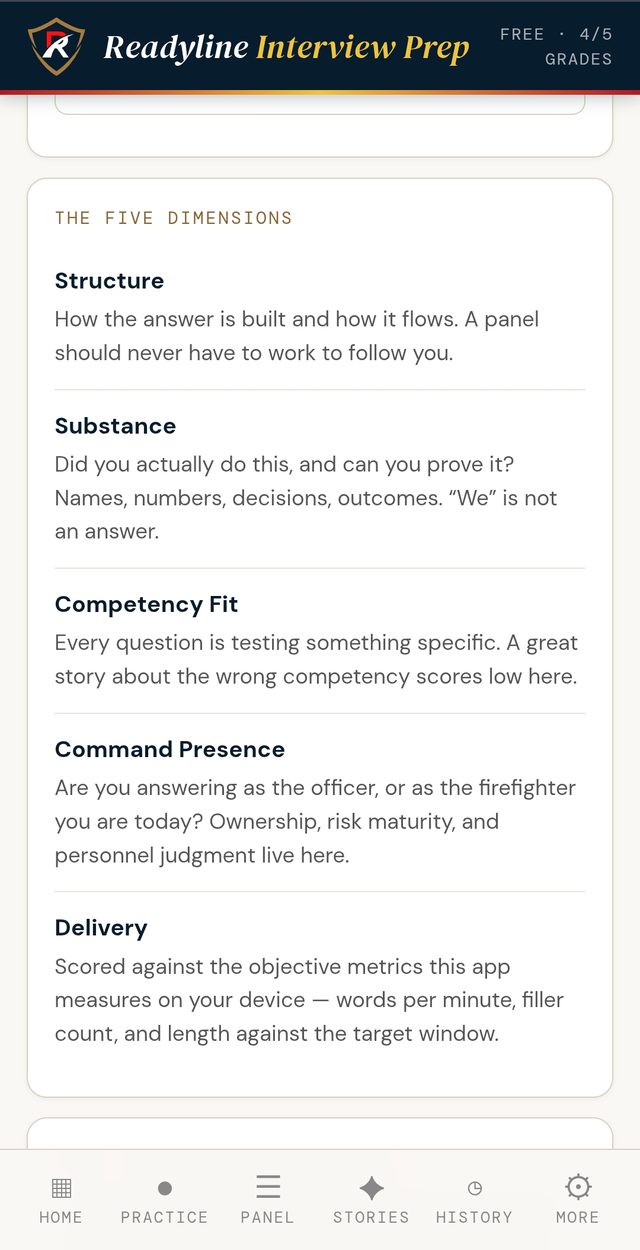
Questions and competencies are built on the fire officer duty areas of NFPA 1021 (now consolidated into NFPA 1020) and published officer-development material. The framework is generic and national - it does not mirror any single department's process, and no endorsement by NFPA is implied.
Your scores are practice feedback from an AI assessor, not an official evaluation, and no promotional outcome is guaranteed. Speech-to-text runs on ReadyLine's own secure infrastructure: your recording is transcribed to text in real time and the audio is never stored, and only the text of your answer is sent for scoring. Any playback recording stays in your device's memory and is discarded when you leave the answer screen.
Testing this cycle?
Interview Prep is live on Google Play and the App Store. $14.99 one time, yours for good, no subscription. On Android, start free with five graded answers, then unlock for $14.99. Less than one hour with a coach.
ReadyLine
Training
Four solo trainers in one app - the mayday call, the size-up, the CAN report, and kitchen-table drills. All reps. No scoring.
Now on Google Play and the App Store - $4.99, one time. No subscription. No account. New trainers added in free updates.
The skills that matter most get practiced least.
Nobody reps the mayday call. Nobody practices the size-up out loud before it counts. Interior crews wing the CAN report on the radio. And good crews want to drill, but building one takes prep time officers don't have. ReadyLine Training puts all four in your pocket - solo reps, on your own time, with nobody watching.
Run a mayday from a realistic scenario: key up, give the call out loud, and hear your own voice back. LUNAR, UCAN, Who-What-Where, or your department's own format.
Forty-eight kitchen-table knowledge drills across eight categories. Deal one, talk it out as a crew, and look the answer up in your own SOG - never a generic answer key.
Draw a scene, walk the 360, and give your size-up out loud - then hear yourself back, the way the second-due officer would. As many reps as you want, alone, before it counts.
Conditions, actions, needs - the progress report every interior crew owes Command, in one clean breath. Get a scenario, key up, and give your CAN out loud - then hear it back. Rep it until it's reflex on the radio, not a scramble.
No AI judging a survival call or your size-up. The reps are yours; the standard comes from your department and your training.
The trainers run fully offline after install - basement firehouse, rural district, doesn't matter. Everything you do stays on your device; Size-Up's photo scenes download the first time you open them, then work offline too.
$4.99 once on Google Play and the App Store. No subscription, no account, no upsells inside. New trainers and content arrive as free updates.
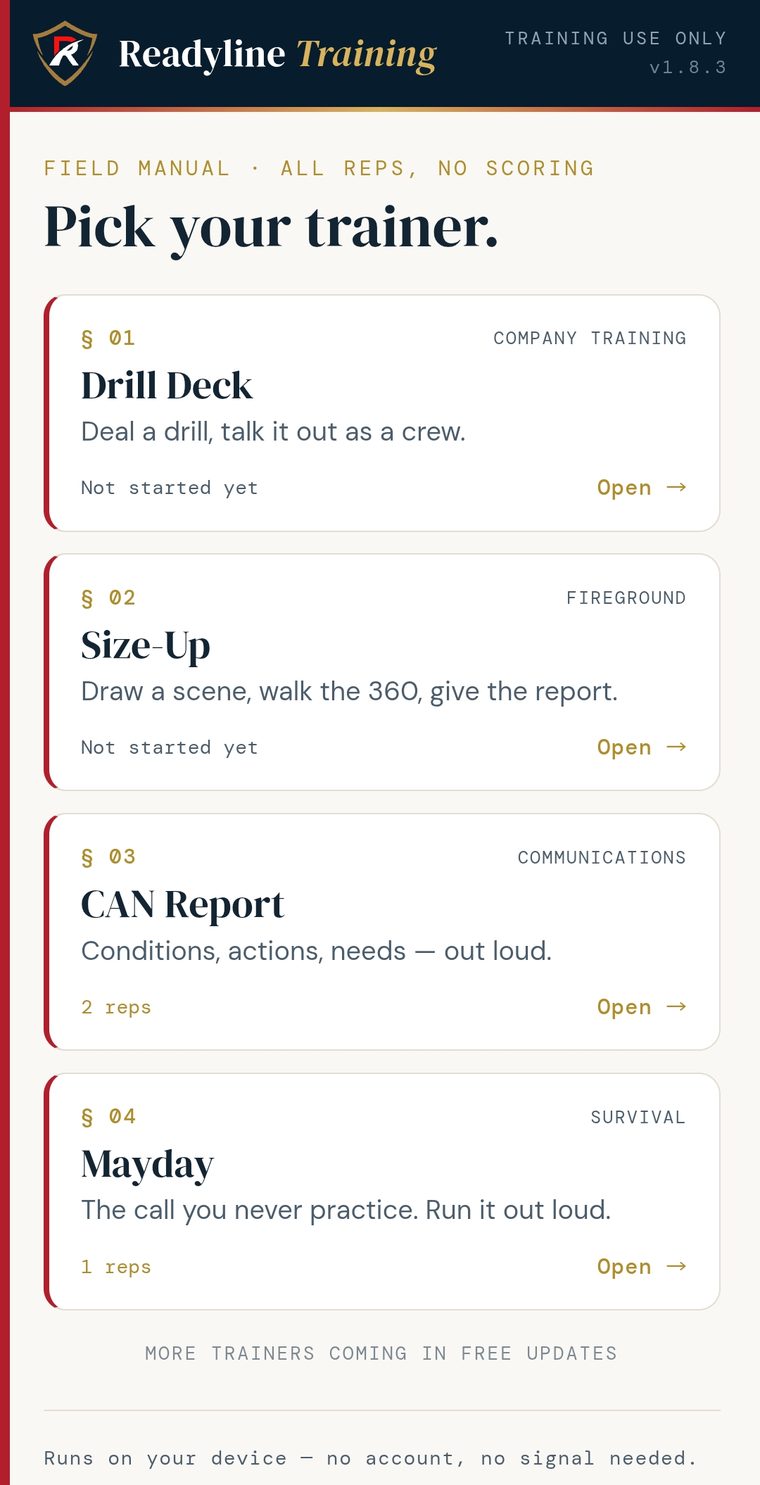
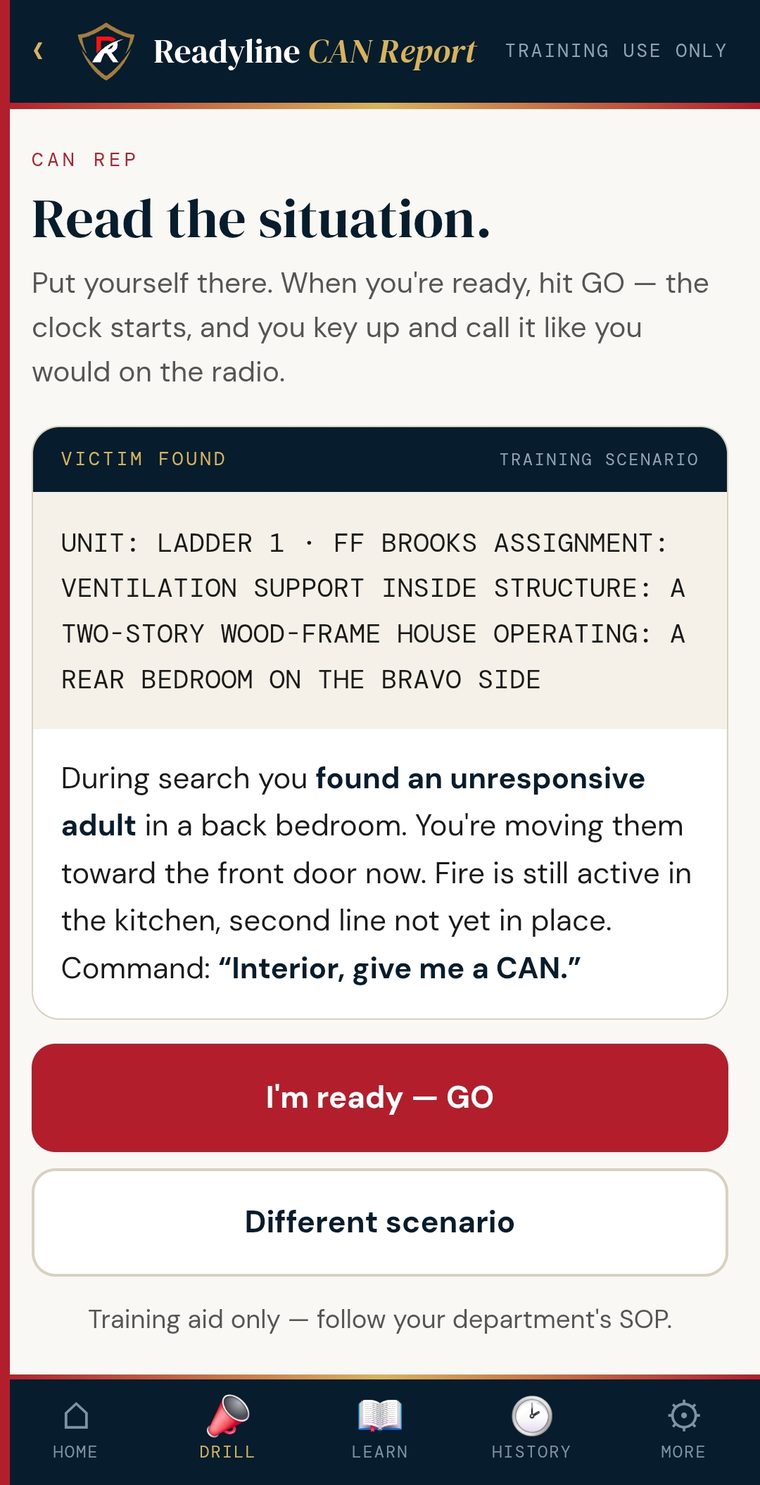
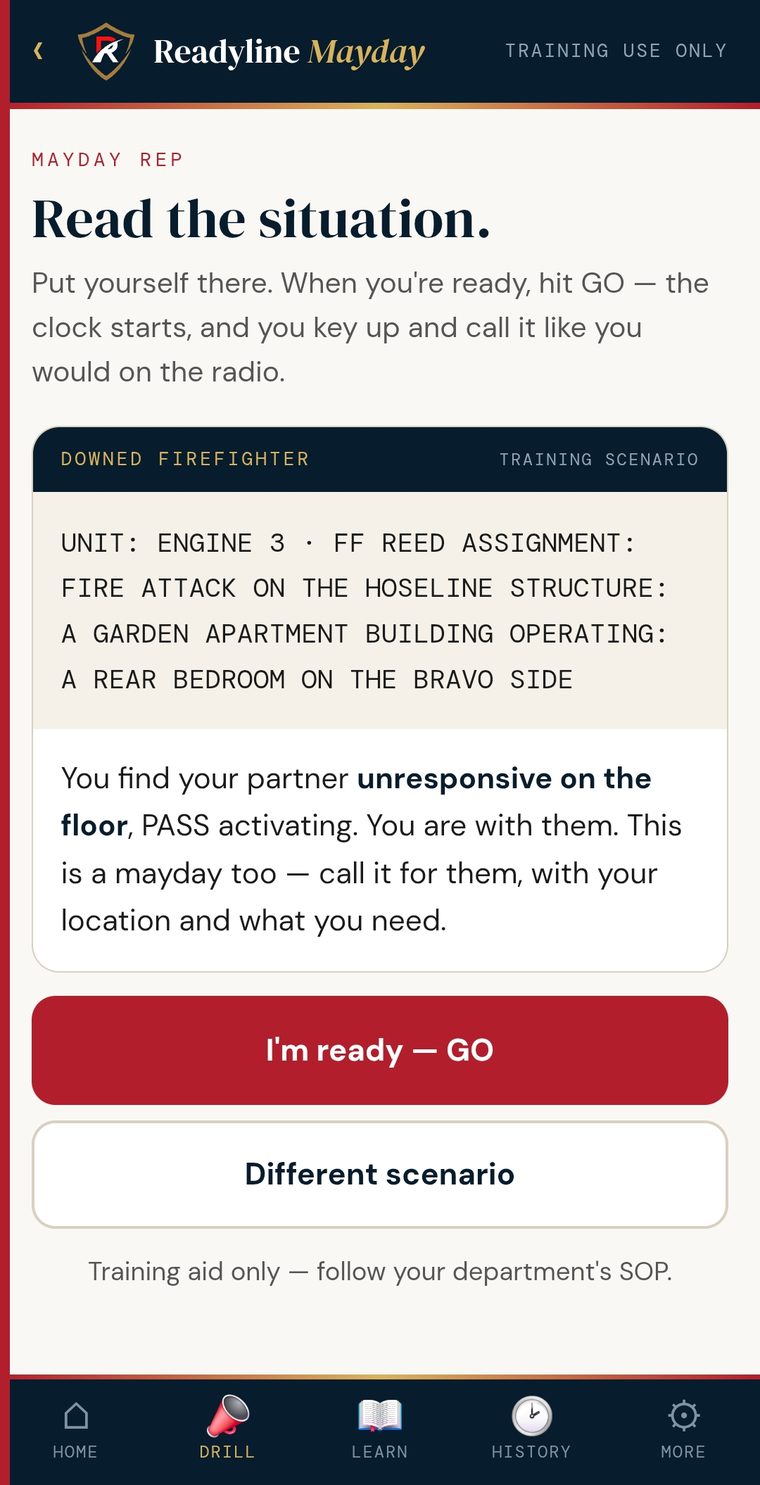
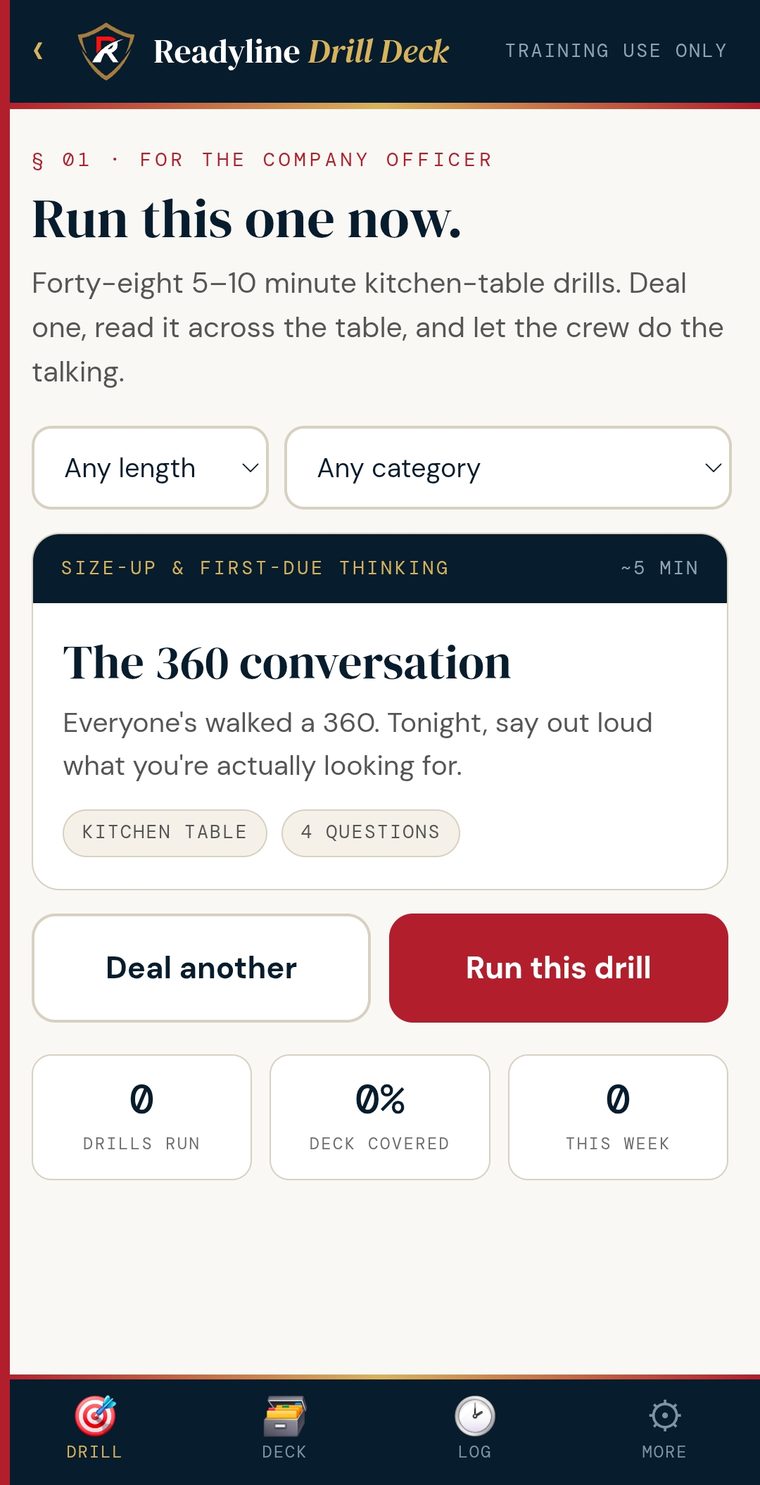
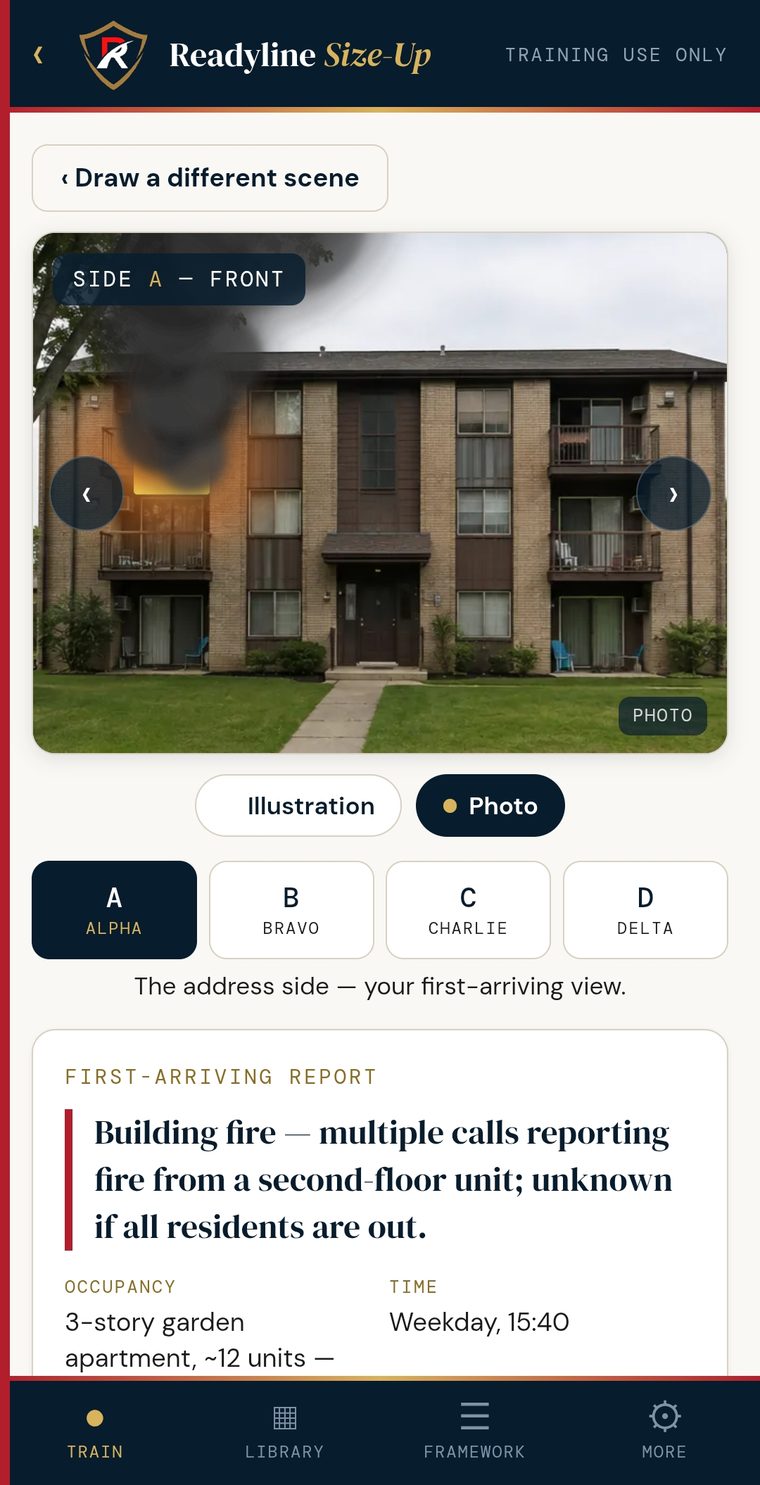
Everything stays on your device.
No server, no account, no tracking. Your reps, your history, and your custom drills live on your phone and nowhere else. In the voice trainers, any recording is held only in memory for playback and discarded when you leave the screen - never saved, never sent to us. Turning your speech into text uses your browser's built-in speech feature, which may send the audio to your browser or device maker to transcribe it.
ReadyLine
Apparatus
Every compartment. Every tool. Committed to memory.
Now on Google Play and the App Store - $4.99, one time. It runs entirely on your device - nothing to upload, nothing to sign into.
When seconds count, hesitation costs.
The best crews don't think about where the tool is - they just grab it. That kind of recall isn't a gift, it's reps. But the apparatus you ride is the one thing you can't take home to study, so those reps are hard to come by.
ReadyLine Apparatus turns the apparatus into something you can drill on your own time - visually, compartment by compartment, the way you actually learn a rig.
Photograph each side square-on - driver, officer, rear, front, whatever sides you run.
Tap the photo where each compartment lives and drop a box on it. Now the apparatus is mapped exactly the way you see it on the apron.
Open each compartment and add its contents from a built-in fireground equipment list - or your own gear, your own names. Multiple photos, notes, quantities, training links.
Get prompted for a tool and tap the compartment it's in. Track what you're getting right and where you're weak, and run reps until you know the whole apparatus.
Drill your own apparatus, or a read-only set one person built and shared with the whole crew - so every member knows the rig the same way.
No coverage, no cloud, no login. The whole thing runs on the device, on the apron or in the bay.
One firefighter builds every apparatus once, then sends it to the whole crew - so nobody else starts from a blank screen, and everyone drills the same rig the same way.
A training officer or senior firefighter maps the fleet - every apparatus, every compartment, every tool.
Share the whole fleet as a single read-only set over AirDrop, Nearby Share, text, or email. Each member opens it and it lands right next to their own apparatus, ready to drill.
Change a rig and send the update - it replaces the old copy instead of piling up duplicates. The set stays read-only, so the master is always yours.
No server, no accounts, no logins. The set moves phone to phone, and everything still lives on the device.
Tap a compartment
This is the demo engine that ships with the app. Tap any gold box to open that compartment and see what rides inside.
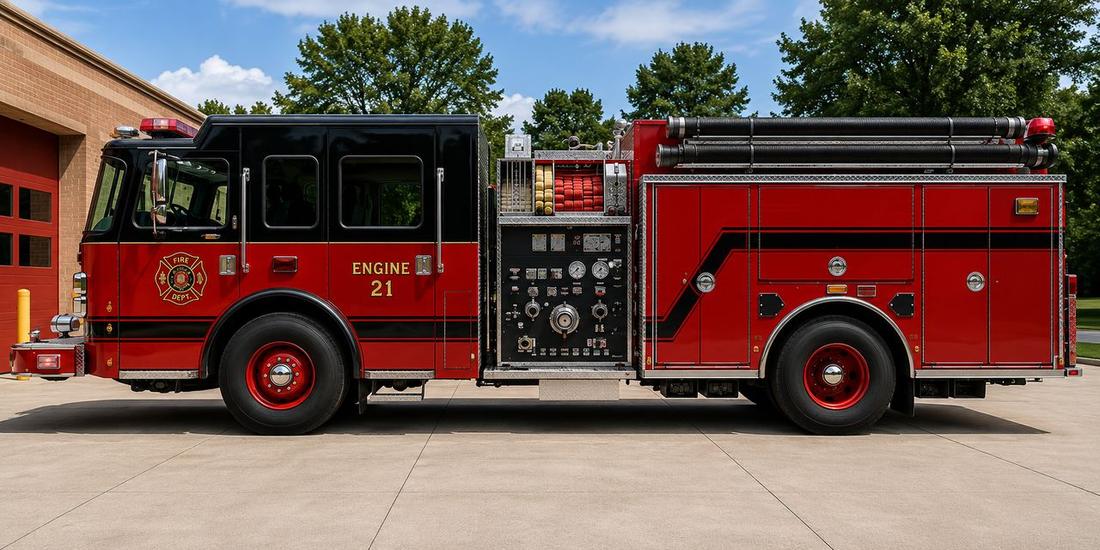
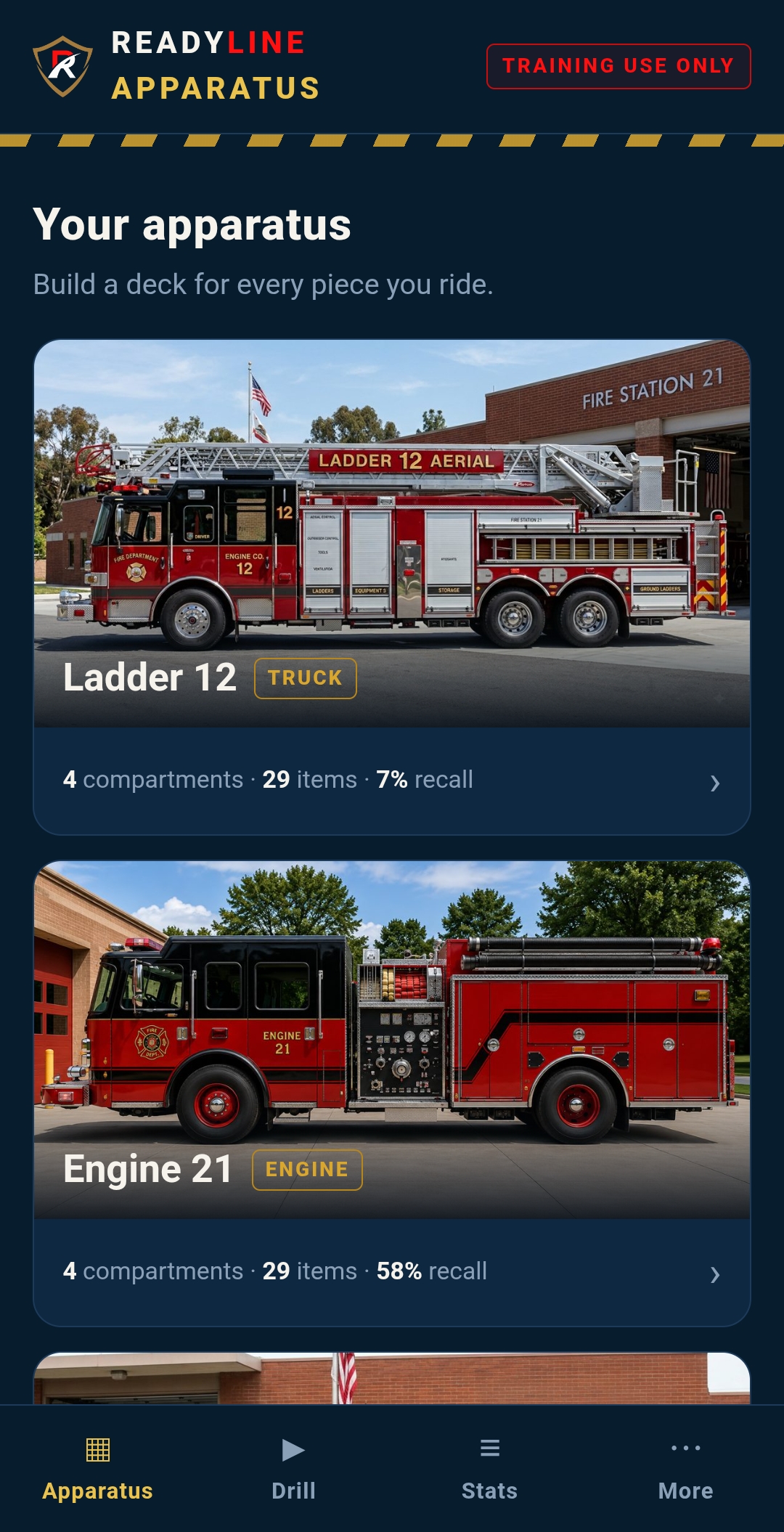
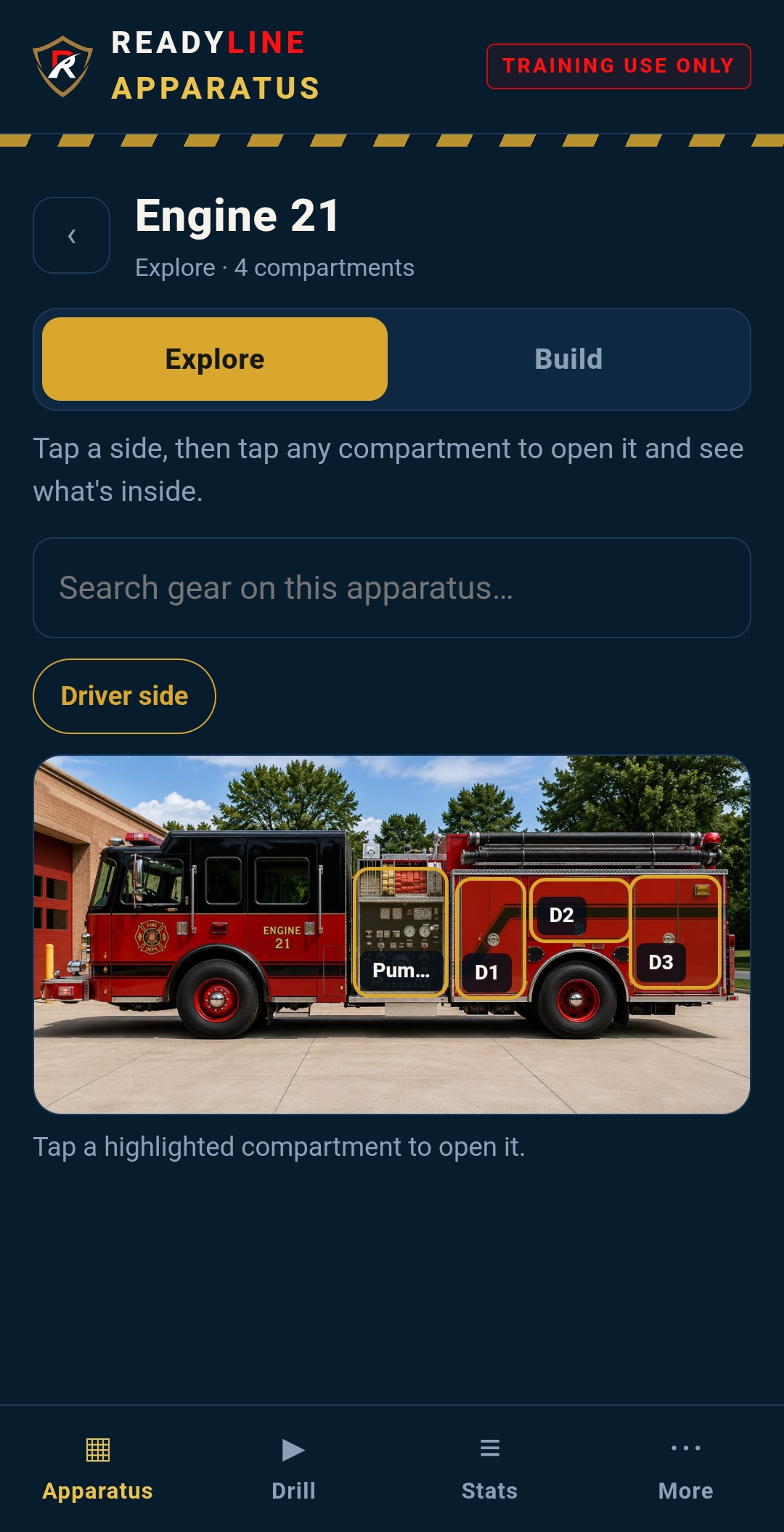
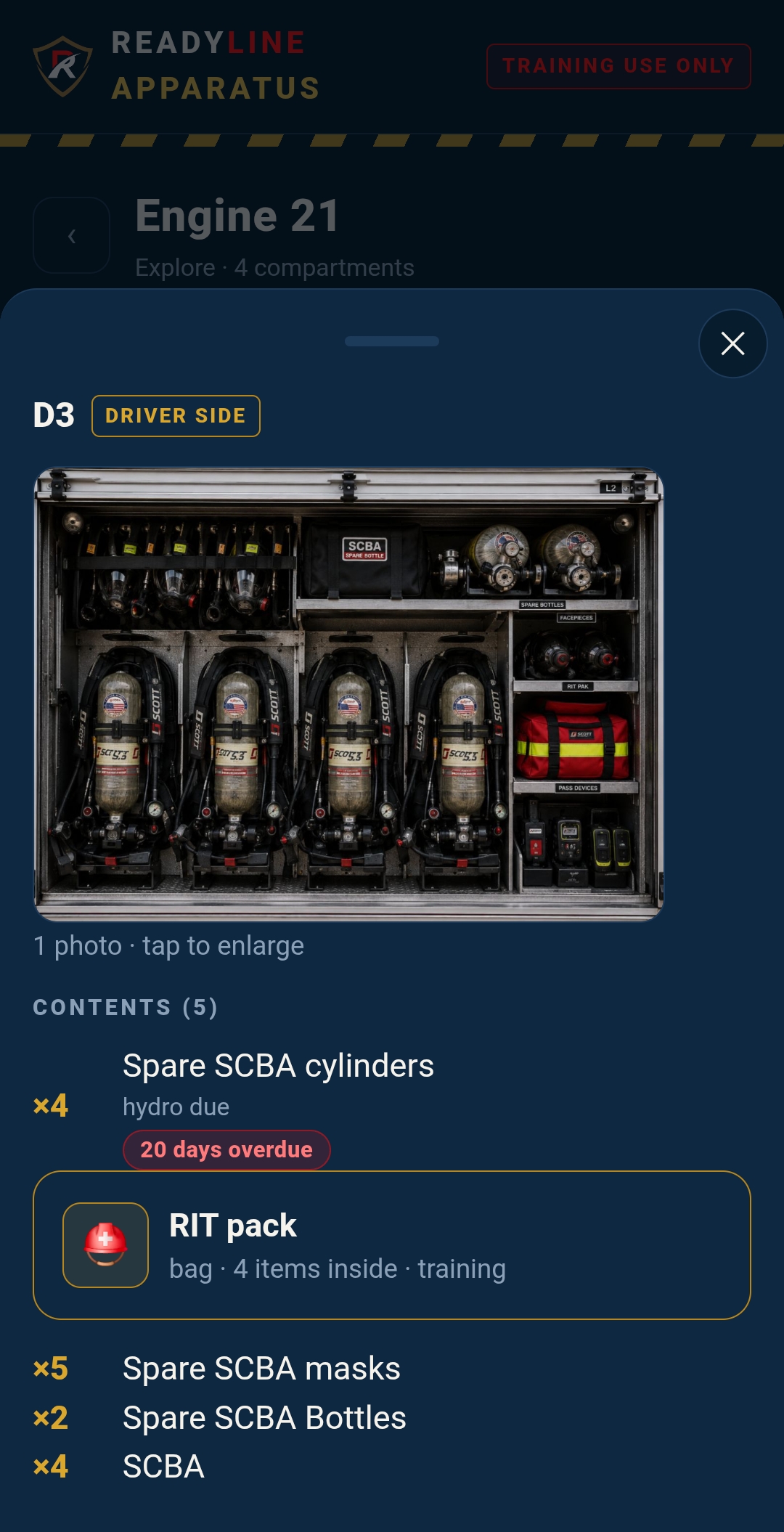
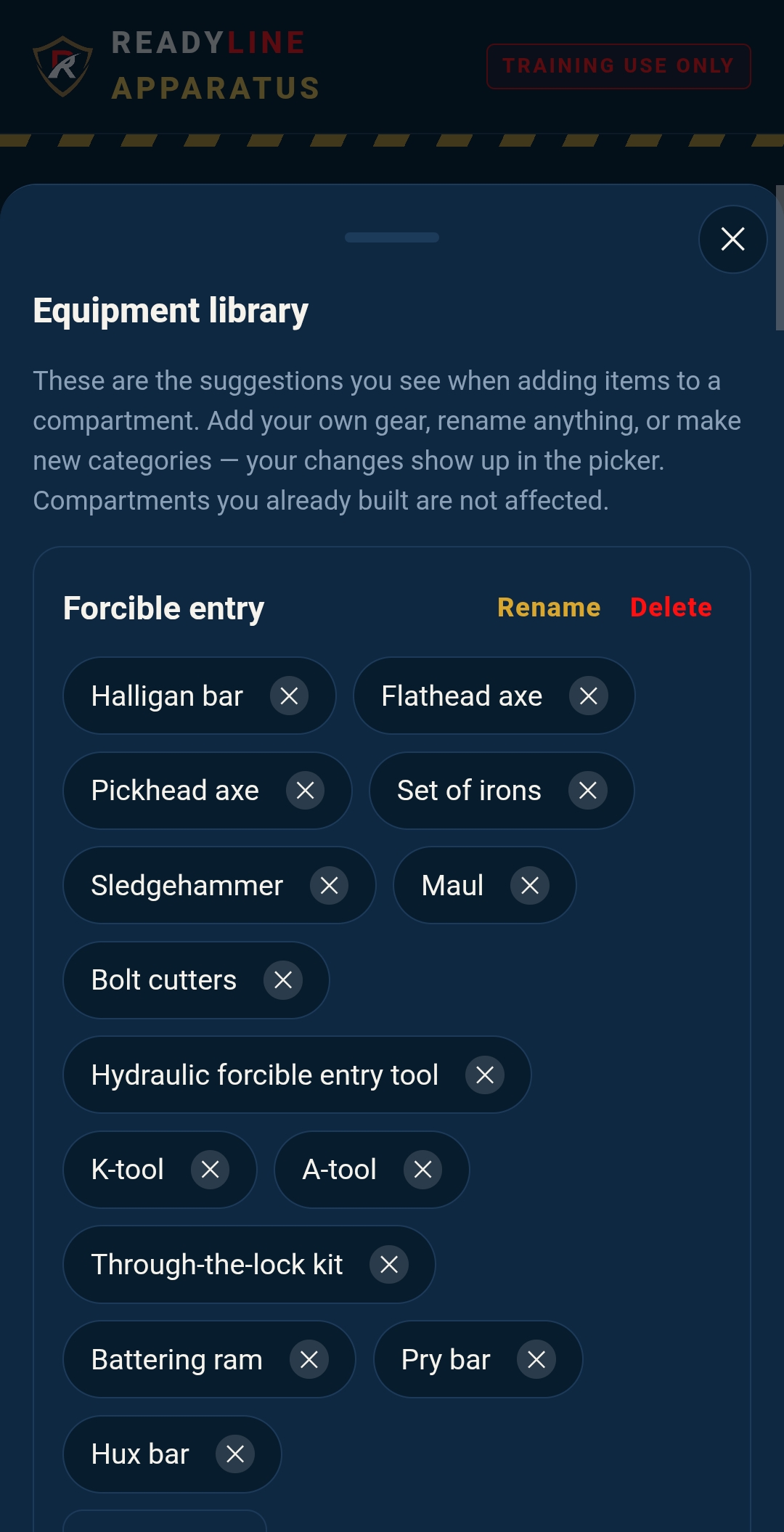
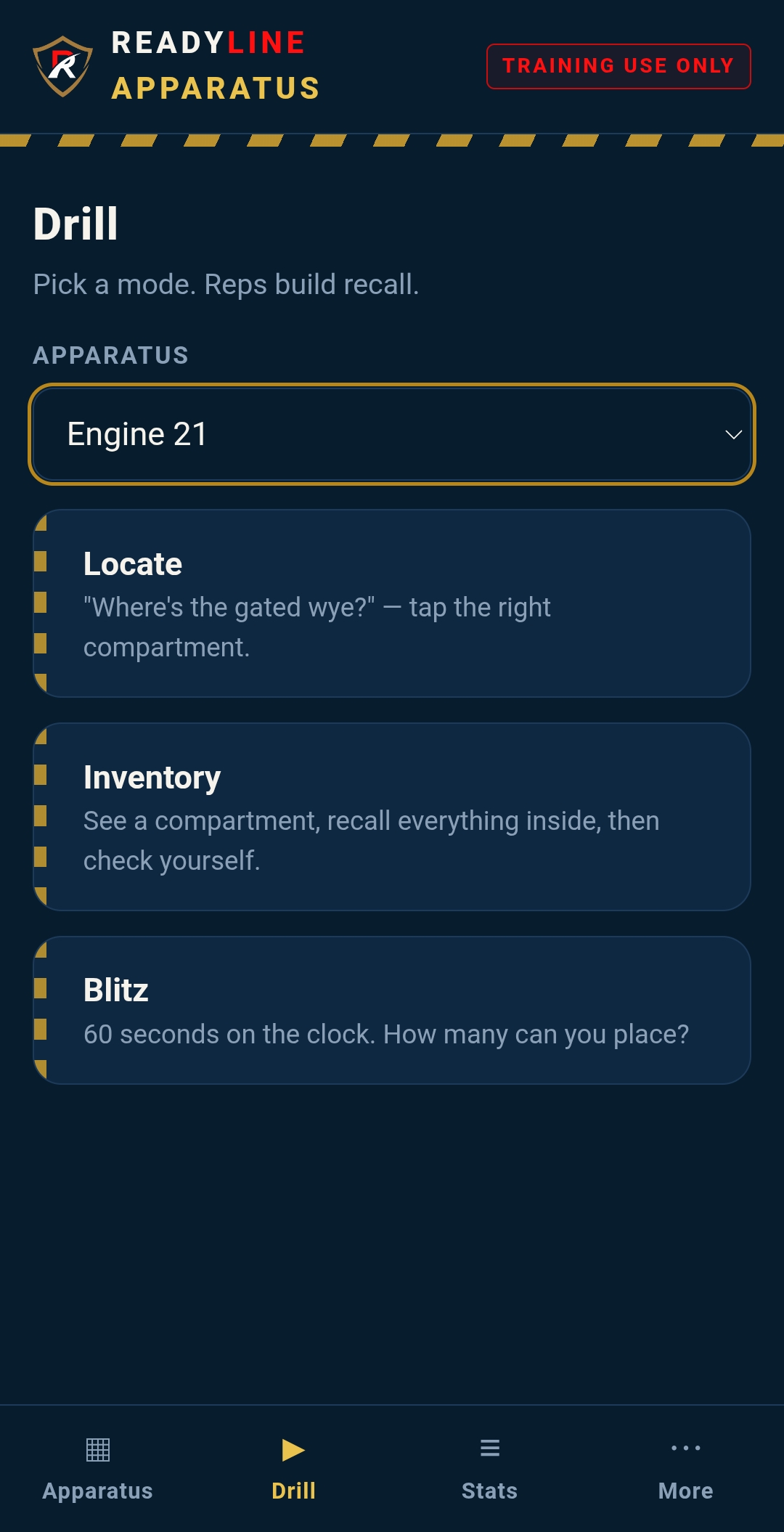
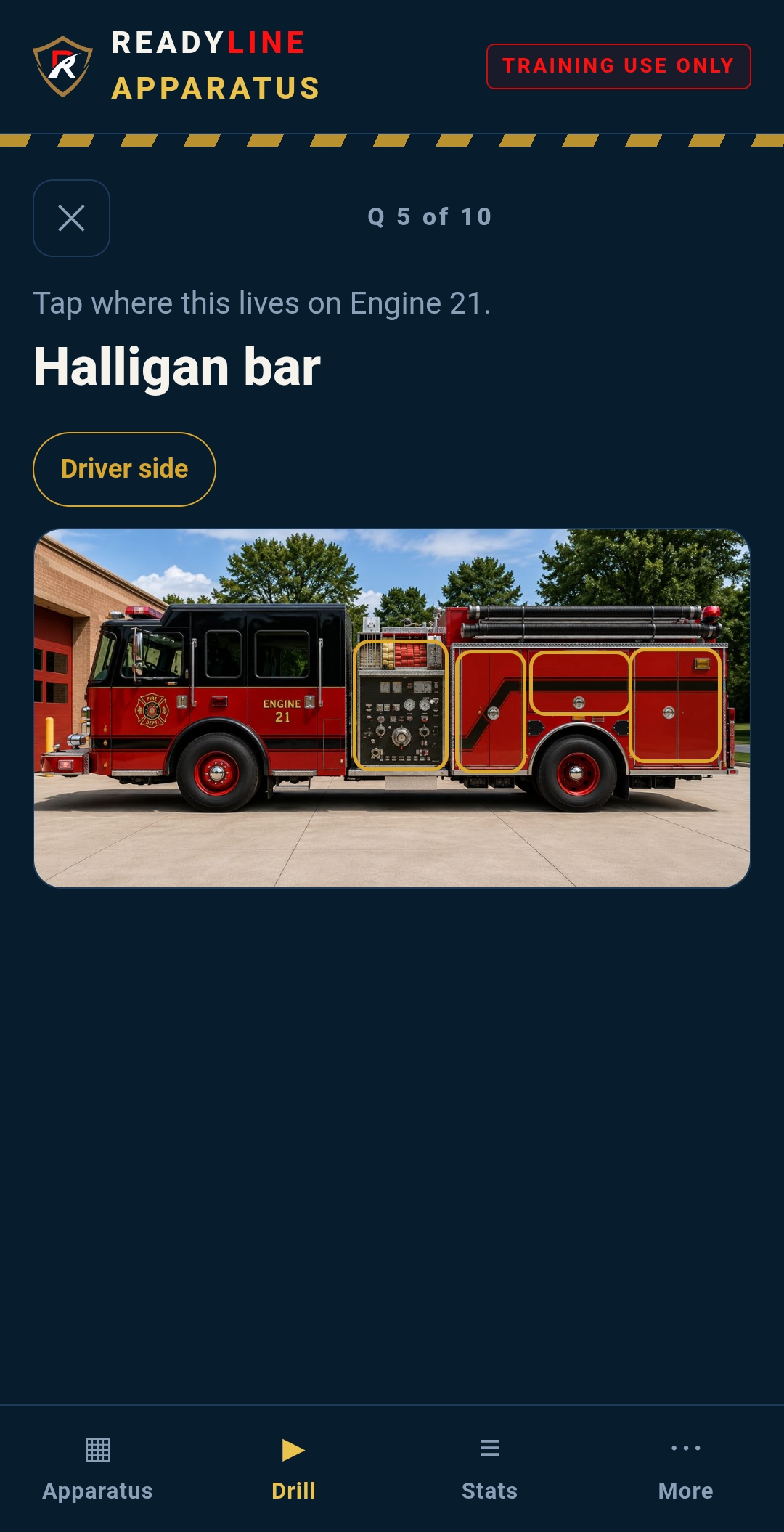
Everything lives on your phone. Photos are stored as compact images right on the device - hundreds fit without slowing things down. Nothing is uploaded, nothing leaves your hands. Back it up to a file anytime, or move it to a new phone.
ReadyLine Apparatus is a study tool, and only that. It is not an inventory system, an apparatus-check or daily rig-check record, or a reference for incident operations. It builds recall so the knowledge is already in your head when you need it - it does not replace your department's official checks or records.
Start knowing your apparatus.
Stop guessing on the fireground. Put the reps in on your own time.
Now on Google Play and the App Store - $4.99, one time. Runs entirely on your device.
Who builds this
A one-person company, run out of Michigan, by someone still working the job.
- Captain / ParamedicCareer fire service, Michigan
- Hazmat TechnicianTeam leader responsibilities
- MBAHealth Care Management
- Fire Staff & CommandFire officer command program
Built by a working firefighter, for the fire service.
ReadyLine exists for a simple reason: some of the tools worth having in the fire service just weren't there yet. There was no real way to rehearse a promotional oral board - often the part that decides it. Learning a new apparatus meant standing at the open compartments until it stuck. The idea was to build the kind of tools that fit how firefighters actually train and work.
Every ReadyLine product is developed independently, on personal time, and refined the honest way - put to real use, kept when it works, reworked when it doesn't. The aim is straightforward: practical tools, built by someone who understands the work, that help firefighters get better at it.
ReadyLine Response Solutions LLC is a Michigan limited liability company. It is independent, self-funded, and not affiliated with, endorsed by, or acting on behalf of any fire department or public agency.
Guided by firefighters, not a roadmap.
Feedback from a working officer beats a feature request every time. If a tool doesn't earn its place in the front seat, it gets cut.
Say what it isn't.
Every ReadyLine product tells you plainly what it does not do. Being honest about a tool's limits is how you build something firefighters can trust.
Priced like a tool.
Straightforward pricing, no surprises. Nothing renews on its own - you're always the one deciding what to buy and when.
Get in touch
Department walkthroughs, early access, or just a question - it comes straight to the founder.
Questions, answered
Pricing, privacy, and how each app works - the things firefighters and departments ask before they download.
About the ReadyLine apps
Is this a subscription, or a one-time purchase?
Every ReadyLine app is a one-time purchase - no subscriptions, ever. Interview Prep is $14.99 once. Apparatus and Training are $4.99 each, once. New trainers and content arrive as free updates.
Do I need an account or a login?
No. There is nothing to sign up for and no email required. You download the app and start using it.
Do the apps work without signal?
Yes. Training and Apparatus run fully on your device, so they work in a basement firehouse or a rural district with no signal. Interview Prep needs a connection only at the moment it grades an answer.
Do you track me or sell my data?
No. There is no advertising, no third-party tracking, and no data sales in any ReadyLine app. Training and Apparatus never send anything off your device at all.
Are these on iPhone and Android?
Yes - all of them are on both Google Play and the Apple App Store, at the same price on each.
Who makes ReadyLine?
A working firefighter. ReadyLine is built by someone still on the job, for the tools he wanted to have on it.
Are you affiliated with my department or a certification body?
No. ReadyLine is independent. Nothing in the apps is official doctrine, and your department's procedures, policies, and officers always govern.
How do refunds work?
On the App Store, refunds are handled by Apple under its policies. For the one-time Interview Prep unlock bought through Stripe on Android, contact us at info@ReadyLineResponse.com.
Fire Officer Interview Prep
What do I get for $14.99?
Unlimited AI-graded interview practice, unlocked for good (fair use: up to 100 graded answers per device per day). It is a one-time purchase - no subscription and no expiry.
Is there a free way to try it?
Yes, on Android: you start free with five graded answers, then unlock for $14.99 when you are ready. On iPhone you pay once at download and everything is unlocked from the start.
How does the grading work? Is a person reading my answers?
No human reads your answers - scoring is fully automated by Claude, the AI model from Anthropic. Your spoken answer is turned into text, and only the text of your answer (never the audio) is sent for scoring. Your answer content is not stored on our servers, and it is never used to train any AI model.
What happens to my voice recording?
Your recording is transcribed to text on ReadyLine's own secure infrastructure, and the audio is never stored. A playback copy is held in your phone's memory so you can hear yourself, then discarded the moment you leave the answer screen.
I got a new phone. Do I lose my unlock?
No. When you unlock, you get a recovery code. Enter it on your new phone to move your unlock over. Keep that code somewhere safe - it is how you restore or transfer your access.
ReadyLine Apparatus
What does the Apparatus app do?
It turns the rig you ride into a study tool. You photograph each compartment, place it on a photo of the apparatus, tag what rides inside, and drill yourself until you know where every tool lives.
Can one person build it and share it with the whole crew?
Yes. One person can build the entire apparatus - every compartment and item - and share it with the crew as a read-only set. No server and no accounts are involved: it is a file you send out, and everyone loads the same rig.
Where are my photos and data stored?
Only on your device. Photos are saved as compact images right on the phone, nothing is uploaded, and we could not see it if we wanted to. You can back your data up to a file and move it to a new phone yourself.
ReadyLine Training
What is in the Training app?
One app with four solo trainers: Mayday, CAN Report, Size-Up, and Drill Deck. Run the mayday call you hope never to make, give your size-up and progress reports out loud, and deal kitchen-table drills for the crew. New trainers and content arrive as free updates.
Does it grade me or give me the right answers?
No. The trainers are for reps and discussion, not scoring. Nothing in the app is doctrine or survival guidance - your training, your officers, and your department's procedures govern, always.
What happens when I use the voice trainers?
You use the microphone only while a voice drill is active, and only with your permission. To turn your speech into text, the app uses your browser's built-in speech feature, which may send the audio to your browser or device maker (for example, Google or Apple) to transcribe it; ReadyLine never receives your audio or transcript. Any playback recording stays in your phone's memory and is discarded when you leave the screen.
ReadyLine Incident Command (for departments)
Can we use Incident Command on a real incident?
Yes - that is what it is built for. On scene it is a decision-support and documentation aid: keep your assignments, tactical benchmarks, and accountability board in one place.
It is not a life-safety system and does not replace your department's official personnel accountability, radio procedures, or the incident commander's judgment. Keep those in place at all times.
Where is our incident data stored? Does ReadyLine see it?
Incident records stay on the department's devices. ReadyLine does not receive or store them, and there is no AI processing of incident data. If your department turns on Department Sync, its settings, including the roster, are stored in Google Firebase so every tablet matches; incident records are never synced. The map's address lookup uses OpenStreetMap services and can be turned off. Exports stay under your control.
Who owns the data we put in?
The department does. As between ReadyLine and the department, the department owns and controls its incident data.
How does a department get Incident Command, and what does it cost?
Incident Command is licensed to a fire department or agency, not sold per firefighter. To try it, your department gets a time-limited trial, typically 30 to 60 days, with full access to the app's features, apart from multi-device syncing. Your officers can explore it and run their own scenarios during the trial. During the trial it is for evaluation and training only and should not be used on real incidents. When you are ready, reach out through the Contact page.
Still have a question? Email info@ReadyLineResponse.com - it comes straight to the founder.